The Largest Online Community for Contact Centre Professionals


The Largest Online Community for Contact Centre Professionals
 Close
Close


Published On: 12th Feb 2026 09:30 - Modified: 18th Feb 2026
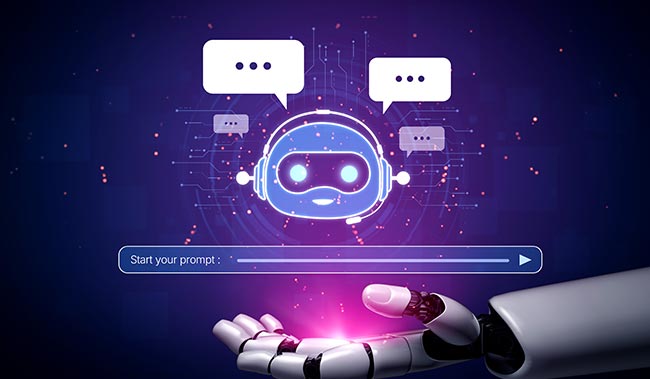
Assembled explores how to evaluate AI voice agents for real-world phone support, based on what really matters.
Phone support is one of the hardest parts of customer service to scale – and one of the most expensive to get wrong.
Customers call when issues are urgent, emotional, or complex. Agents need deep context. Wait times matter. And unlike chat, there’s no room for looping scripts or brittle automation.
AI voice agents promise a way forward. But in practice, not all solutions are built for real support environments.
Some modernize IVRs without improving resolution. Others demo well but struggle with escalation, integrations, or cost predictability once deployed. And many platforms labelled “voice AI” are still optimized for chat-first automation, not live phone conversations.
Choosing an AI voice agent isn’t just a technology decision — it’s a strategic investment that will shape your support operations for years.
After working with hundreds of teams adopting voice AI, a clear pattern emerges: the most successful implementations start with aligned goals, rigorous evaluation, and a plan for long-term scalability. Here’s a practical framework to guide your decision.
Start with outcomes, not features. Before evaluating vendors, clarify what success looks like for your organization. This ensures your pilot, KPIs, and vendor selection remain aligned.
Ask yourself:
Most teams cluster around a few core goals:
| Goal | KPIs |
|---|---|
| Reduce Operational Costs | Cost Per Contact, Automation Rate |
| Improve Customer Satisfaction | CSAT, Sentiment, First-Call Resolution |
| Scale Without Adding Headcount | Solves Per Hour, Handle Time |
| Reduce Wait Times | Average Wait Time, Abandonment |
| Expand 24/7 Coverage | After-Hours Resolution, Callback Volume |
The key is matching your pilot and vendor evaluation to the specific outcomes you want. For example:
Teams that define narrow, measurable pilot goals — like “resolve 25% of cancellation requests” — see time to value significantly faster.
Your AI must slot naturally into tools.
If SIP connections are required, plan for 4–6 weeks of setup, testing, and validation.
Look for real-time, two-way sync for:
Poor CRM integration creates downstream reporting and QA issues, and undermines trust in automation.
Your AI should be able to pull from and stay aligned with:
…and it must respect permissions and version control cleanly.
This is where meaningful automation happens. Ensure the AI can interact with:
A unified performance view, ties AI activity, human activity, and WFM data together so teams can understand operational impact without juggling dashboards.
Watch out for vendors who:
Ask every vendor: “Show me how your AI accesses our CRM data during a live call.”
The strongest partners will have a crisp, confident answer.
Never buy an AI voice solution without proving its value in your environment — with your data, your edge cases, and your workflows.
There are three common pilot structures:
Good when you’re already strongly leaning toward a vendor.
Best for validating a specific workflow before expanding.
Tight, time-bound tests focused on validating critical capabilities.
A successful pilot proves five things:
Your needs today won’t match your needs in 12–36 months. A future-proof AI voice solution should be able to grow with your business across five dimensions.
Workflows built for chat, email, or voice should be reusable with minimal changes. This protects your investment as your channel mix shifts.
If you’re expanding into new regions or launching new brands, your AI should support:
Support operations typically evolve from:
Choose a platform that supports this climb without requiring full rebuilds at each stage.
As automation grows, staffing strategy must evolve. Integrating voice AI with WFM data ensures:
If you operate multiple brands or business units, or if you’re a BPO, look for:
A scalable platform gives clear, confident answers, not vague reassurance or lock-in.
This post has been re-published by kind permission of Assembled - view the original article.

Assemble and run the best possible team of in-house, BPO, and AI agents. Assembled is the
only unified platform for staffing and managing your human and AI support team.
Reviewed by: Megan Jones

The Latest Customer Contact Research, Reports and White Papers straight to your inbox!
Get the latest insights from Call Centre Helper by signing up for our email content.
Close


14th October 2026
14th October 2026
How to Keep Humans in the Loop Without Slowing AutoQA Down – Webinar


